Wednesday, August 08, 2012

Kindle Fire - Part 4, Where for art thou, comma?


Soft keyboards (keyboards that appear on touchscreens) can be a little too smart.  The flexibility allows developers to change the operation of keys, a feature most of the time, but disorienting when taken too far.  Take the example of the lowly comma.  Arguably a piece of punctuation often discarded in modern (read 'text message' style) communication as extraneous.  This jettisoning of the pause character is probably a reflection of early texting, when anything beyond the obvious (e.g. printed on a 9-digit keypad phone) was deemed unnecessary.  But those days are long gone, and the Kindle Fire keyboard has a broad character set, so much so the comma may, gasp, actually get used.  Presumably this left the developers with a question; where to put the comma. Apparently they were left without much supervision, see the attached screenshot and (a challenge for your amusement) find the comma before reading on.


Don't get too confident in your knowledge of where the comma is, even if you found it in the above photo.  Not satisfied with a single placement, the keyboard developers decided the much maligned comma should move around.  I suppose there may have been hot debates about it's location, and they settled these debates by simply incorporating each suggestion.  In case you still haven't found it (or didn't bother to look, I mean really- some people just can't be bothered with this type of thing) the comma is in the corner of the period key (it's small, you may have to squint).  Don't take that to mean it is accessed via the shift key.  No, the comma is accessed by a long press on the period key.  Let's think about that for a sentence.  A comma means a short pause, a period means a long pause.  To access the period you make a short press, to access the comma you make a long press.  This inversion of meaning and action may be the developers just playing with us, and it isn't worth talking about any further as we may never know what they were thinking.  But I digress.  

The comma moves to a new location, the top row of soft keys (lets call them 'super soft keys') that appear in a background-ish color above the keyboard.  Why?  I guess because it was decided the old spot for the comma was too inconvenent.  To help you in resisting the temptation to take the hard way to arrive at a comma, the developers chose to remove the comma from the period key when it is visible in the 'super soft key' area.  This may explain in part why some people hate software developers.  Perhaps another photo would help illustrate my point.


Comma quest aside, the Kindle Keyboard is very comfortable to type on.  This may reflect more on the size of the device (roughly equal to a 7 inch tablet) rather than anything specific to the software inside.  And speaking of that, the software inside is Android-based, so I checked other Android devices and found similar period, comma, and backspace placement oddities.  The backspace is in a spot much more akin to the return key on any other keyboard on the planet- don't even get me started on how badly that will screw you up. 

Key placement complaints aside, it is a little amusing that a device clearly designed for information consumption actually does make for a good data-entry vehicle.  Taking notes are a breeze on the Kindle Fire, maybe not as easy as handwriting or touch typing on a laptop (this is still a typing exercise where you have to watch the keys instead of relying on tactile feedback) but a nice bonus when considering how you might use the device.

ETA: A Kindle software update has been made to retain the comma accessibility from a long press on the period key.  Whether that was in response to this post (doubtful) or not (likely), thank you.


Next Up: Editing / cover flow (K-version vs. Apple) / Setting settings, everywhere.


Monday, August 06, 2012

Kindle Fire - Part 3


Part 3 - Kindle Fire Review - My First Stumbles

Getting the Kindle Fire set up wasn't flawless.  My first stumble was with configuring email.  There was no native exchange support, but the Kindle did graciously advise me to go to the app store to find an app for that.  It seemed like an odd thing to omit, it seems to show business users were not a top priority for the Kindle Fire designers.  Perhaps a mis-step, almost every Kindle Fire I've seen "in the wild" has been in the hands of a person travelling for business, with the occasional college student (usually female, presumably more women than men read books for leisure in college) thrown in.

ETA: The draft of this review included the above statement before Tech Crunch came out and confirmed my observation: More women than men use the Kindle Fire.  If you're a man, don't let that put you off, buy one and represent!  Or maybe you should wait, more on that in a later post.

My second stumble was when typing.  I wrote the first draft of this in the Evernote app on the Kindle Fire.  The stumble was with the placement of the period key. I was going to make a screen capture to illustrate my typing woes, but (a) screen capture on the fire is non-existent out of the box, a shortcoming of the Android 2.2 OS the Fire is based on, and (b) you get the idea without really seeing it, just imagine periods in lieu of every 3 out of four spaces.

Next up: Where for art thou, comma? / Editing / cover flow (K-version vs. Apple) / Setting settings, everywhere.


Friday, August 03, 2012

Kindle Fire - Part 2


The ongoing story of my first use of a Kindle Fire...

My first thought with the Fire in hand was how to get it setup and associating it with my Amazon account.  On other Android devices I’ve used setup began with turning the device on and immediately being asked to connect the device with a Google account.  The Fire does not care if you have a Google account or not, but the device is only useful when associated with an Amazon account, doubly so with an Amazon Prime Account (more on that later).  So how to connect the Fire to an Amazon account?  

If you purchase a Fire directly from Amazon you do nothing, the nice folks at Amazon set this up for you.  If you need to do it yourself it is an each process  I discovered in a few minutes of playing with a Fire in a store.  Just touch the gear Icon in the bar at the top of the screen.
This is probably a good place to mention The Touch Screen Factor.  The Fire has a touch screen.  Not a big deal and easy to handle on phones, even convenient.  The transition to a tablet or Fire takes a little getting used to.  The Fire has some weight to it, and you need to hang on to it.  Getting too grabby could mean accidentally clicking things.  This is where the generous bezel around the Fire’s screen comes in.  It seems excessive when just looking at the device, but pick one up and you’ll understand the benefit, whether by design or not.


Once the Fire and my Amazon account were linked the Fire immediately displayed my library of books.  The Fire also detected apps I've purchased from the Amazon Android app store and displayed them in a list with the option to install each app.  Not being an app-hoarder I chose a few to try on the Fire.  I'm not a person who has hundreds of apps and I also don't install everything on every device.
Next up: My first stumbles.


Thursday, July 26, 2012

Kindle Fire Review - Intro


My company let me use a Kindle Fire for a couple months, this is (the beginning) of the story of what I found.  

First, a little background.  My only prior exposure to the Kindle Fire was playing in a store for 15 to 20 minutes.  My cell phone is an iPhone,  so I'm used to touch screen keyboards, but that also means I've been exposed to the screwy- in my opinion- iPhone autocorrect.  More on that later.  I do have access to an Android phone for software development (Android 2.2 OS), so I'm not unfamiliar with Android (the underlying OS of the Kindle) and have used a small collection of Android apps from both the Android Market (now Google Play) as well as the Amazon app store.  Evernote is one app I've used on both iOS and Android and also happens to be where the draft version of this was written (written initially on the Kindle Fire, then 'cleaned up' for posting).  My very tech savvy employer has also supplied me with an iPad (initially a v1 then traded up for an iPad 2) which I use primarily for note taking and business intelligence demos (using MicroStrategy).

When it comes to eReaders, I have a first generation Kindle eInk reader, a very pleasant reading device that is probably the primary reason I haven't bought a Kindle Fire of my own.  The eInk device just works, satisfying all by eBook reading needs.  But when the opportunity to test the Fire came up I was willing to try a swap.

Coming next: Impressions from my first use of the Fire.

Tuesday, June 05, 2012

Bike Riding Weather

There was some excellent bike riding weather this weekend.  While out plotting a new route, I noticed a Road Closed sign along the Mississippi River.  The road was closed, but the bike trail was open.  Being the curious sort, and figuring the road was closed due to flooding (river over road type thing), I thought I'd bike down the trail to see how far I could go.

About 12 miles later I made my way through.  At about mile 9.5 the bike trail did have water over it, but a quick alt-route back onto the road gave a clear path.  So in reality, the bike trail should've been closed and the road open.

Ah well, nice ride.


Friday, May 25, 2012

On not writing

I've been preparing some entries for this blog on my test drive of an Amazon Kindle Fire. There's been a bit of a delay in posting as I debate and edit the content, or more acurately, debate editing the content. It occurred to me tonight that if I spent half the time I spend on self-censorship on actually writing I'd probably be twice as good a writer as I am today. Or something like that, I haven't quite got the words right yet.

Thursday, May 03, 2012

Content Migration Pending

It may be time to consolidate some content.  This blog has been dormant while content has gone elsewhere.  Maybe it's time for more content to come here.  All great blogs have a theme, so I'm hesitant to create a mash-up of all the diverse stuff I've posted across the web, but there may be a way to get some related stuff in one spot.

Stay tuned...

Monday, May 30, 2011

Photo 365 - Cirque du Soleil


The circus is in town, as in Cirque du Soleil. Ovo is performing in front of the Mall of America

Wednesday, May 25, 2011

Photo 365 - Geek Culture Day


As a celebration of Geek Culture Day, I programmed an Arduino board to send the message "Hello Geek Cultures!" in Morse Code. The plural on cultures is because there are so many different ways of being geek- find yours and embrace it. A video of this code running has been posted to below for your enjoyment.


Tuesday, May 24, 2011

Photo 365 - Sunny Day


A nice sunny day in America.

Sunday, May 22, 2011

Photo 365 - Back to the Future Delorean


I didn't start the day expecting to see a Delorean decked out in Back to the Future style. But there it is! Nicely done, the interior featured appropriate renderings as well. And yes, that is a person dressed as Batman in the background. Don't ask.

Monday, April 25, 2011

Photo 365 - Carriage Hills Paved


Been a while since I've posted a "Pic of the Day". Golf course development continues, here's a shot from the fairway.

Wednesday, February 02, 2011

Photo 365 Project - Minneapolis at 5 Miles


A weak picture of downtown Minneapolis from 5 miles south. It's from a phone camera not designed for distance, but a keeper because the sun has come out after days of haze.


Sunday, January 23, 2011

It didn't fail, it just needs more work

I noticed this sketch on the Robotics team captain's notebook. He was planning the organizational structure and is apparently blissfully unaware of the negative connotations of the term "pyramid scheme". Either that or he has a sense of humor and sarcasm that I wasn't aware of until now.


One of the interesting aspects of working with a team of students on robotics (or perhaps on anything for that matter) is they seem to be free of idea censorship. They lack a filter that stops people from trying things because the probability of the idea working is too low. I'm lucky enough to work for a company that is not paralyzed with 'initiative deficiency', you may have seen idea censorship at work or even during volunteer activities; a sense of risk aversion so high there are no new ideas with enough chance of success to get implemented. So instead nothing new gets started. Its the old way or no way at all.

On the flip side, the robotics team tries out some ideas that fail. They pick themselves up, dust off, adjust, and try again. They never really consider these missteps a 'failure', just something that just needed a bit more work.

It's that kind of thinking that might be what a lot of organizations need.

Sunday, January 16, 2011

Beyond the Robot


FIRST Robotics isn't just about the robot, it isn't even mainly about the robot. It is about hands on experience showing students that careers in engineering can be fun and rewarding. Along the way the students pick things up, like how to combine whatever resources you have on hand to solve (sometimes complex) problems.

One of the programming students set up a camera to take time lapse photos of a build session. He had worked out the system outside of robotics, cobbling together pieces from Ubuntu Linux, gPhoto, Python Scripts and cooked it all together to capture pictures from a digital camera.

But one problem remained. Occasionally the camera would freeze up. Some more scripts were put together to detect the camera hadn't sent photos in a particular time frame and triggered an Arduino board to cycle power using a relay hacked into an extension cord, forcing the camera to reboot. More scripts renamed the last cycle of files (to prevent overwrite) and the entire system was underway.

Saturday, January 08, 2011

Robotics - Trebuchet Contest

It was time to warm the students up for the FIRST Robotics FRC build season. The team decided a fun way to prepare would be to have teams build trebuchets to throw a tennis ball.

Trebuchet building would let the students get some practice researching, designing, planning materials and building. It was quick, and was also something that could be opened up to non-students involved with the program; everyone from the team's sponsor companies to the school's custodial staff great guys, they have keys that get everywhere in the building, allow the students to transform the lunchroom into a robot test drive track and perhaps most importantly are tolerant of crazy robotics students tearing around the building at odd hours (insider info you may not be aware of; robots get built at night).

The company I work for is a sponsor of Team 2220, and I mentor the programming subteam (robots need code to go). So a small contingent from my company decided to play along in the trebuchet challenge. The attached video shows the small pyramid design we implemented really does work. While the custodial staff loaded 45 pounds of counterweight to clean up the field with their 43 foot throw, our little 5 pound power pyramid chucked the tennis ball over 14 feet. So I'd say our "foot per pound" ratio was looking pretty good.


Sunday, December 26, 2010

Photo 365 Project - Cat Under Tree


It seems cats in general, not just this one, love sitting under a Christmas Tree.


Tuesday, December 14, 2010

OK, Just a mobile blogging test here. Nothing to see, move along.

Monday, December 13, 2010

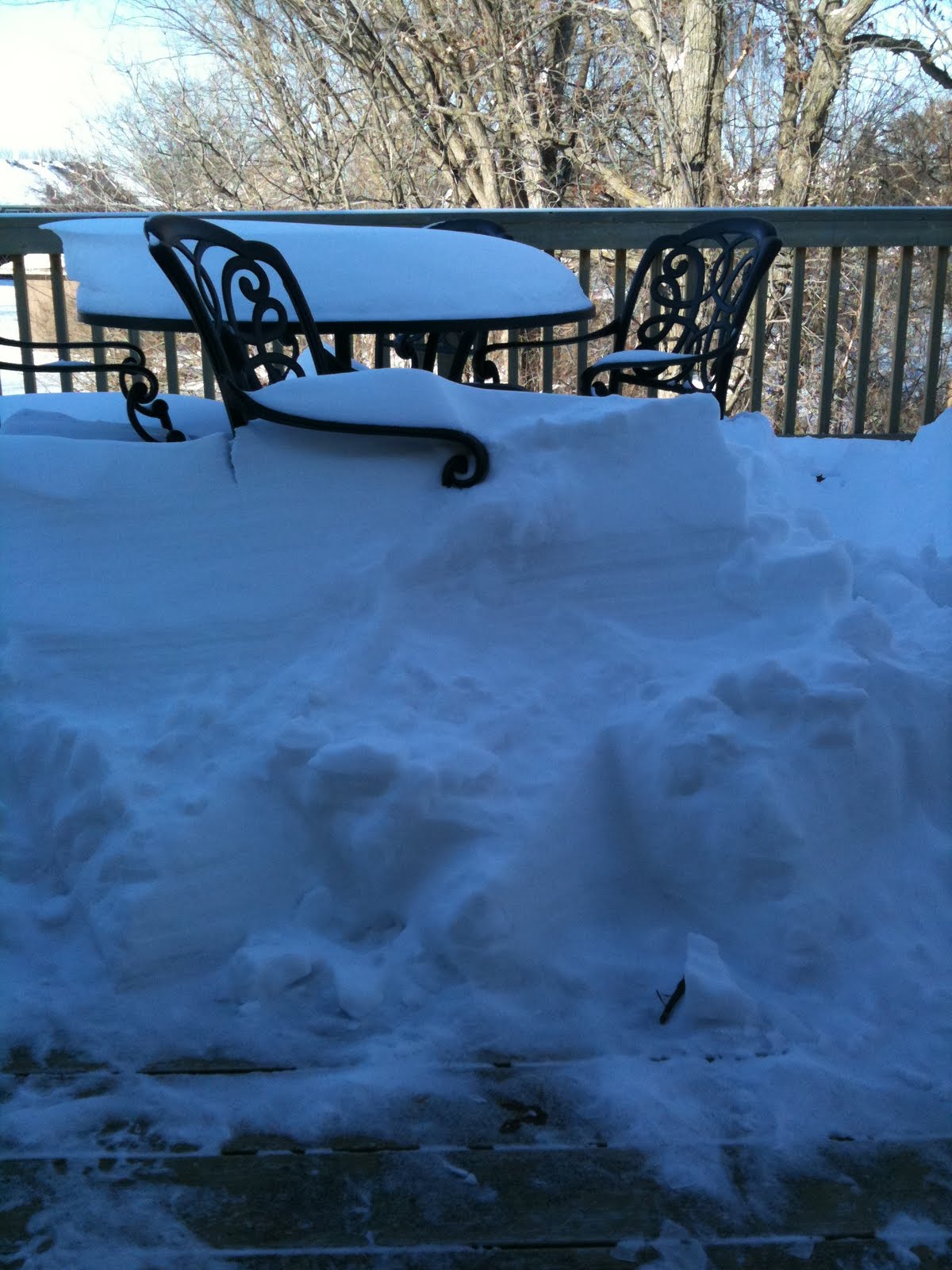
Photo 365 Project - Snowy Deck


OK, the snow has stopped. But I don't think we'll be dining outside today.


Saturday, December 04, 2010

Photo 365 - Snow Dog


You've probably heard of sun dogs, well here's a Snow Dog in fresh powder.